
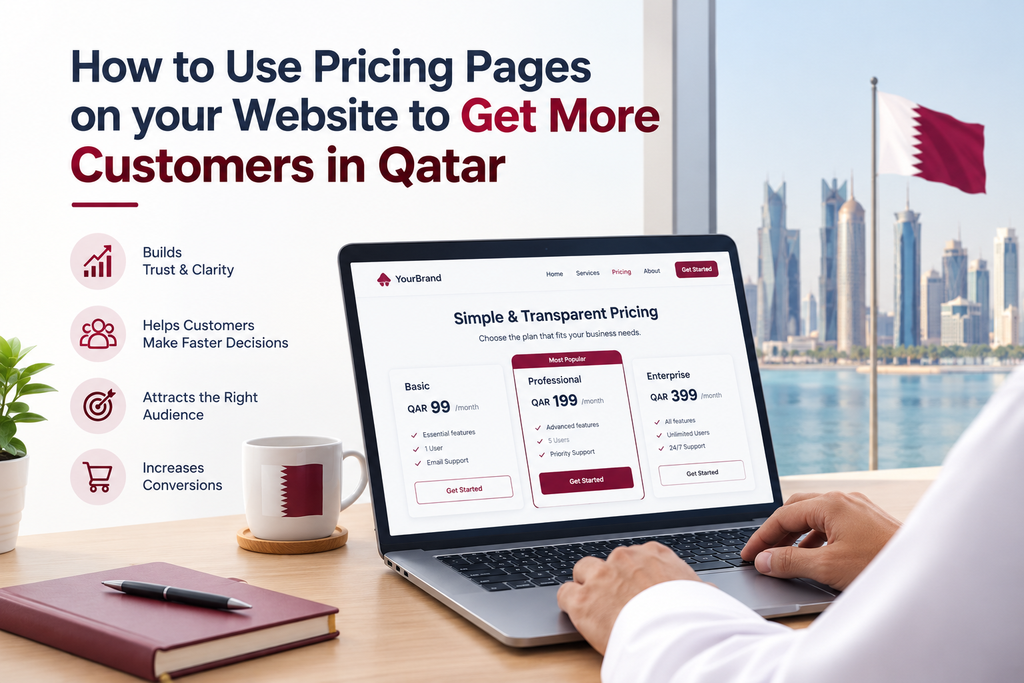
One of the first things people will want to know when they visit your business’ website is the price.
If you do not provide any information about the price of your product or service then people may leave your website and look at other businesses. While you may not want to give a set price for your products or services, having a clear idea of the price can help people decide whether they want to go ahead.
Creating a clear pricing page can help answer people’s questions and build trust, encouraging more people to get in touch with your business in Qatar.
No matter what type of business you are running (digital agency, consultancy, cleaning business or online store), having a clear layout to show your prices can help improve the experience for potential customers.
What is a pricing page?
A pricing page on your website shows customers how much you charge for your products/services. Depending on your business, this may involve set prices, packages, monthly plans or starting prices.
For example, a digital marketing agency may offer different packages for SEO, social media management and paid ads. A maintenance company may show different pricing for the visits to your service. A consultancy may even include an explanation of their fees or allow customers to request a bespoke quote.
The aim of the pricing page is to help people know what they can expect.
A pricing page doesn’t need to be too complicated, simply provide clear information.
Why are pricing pages important for businesses in Qatar?
Customers often compare different businesses to see which one they would like to get in touch with. If your website is difficult to understand then people may be reluctant to move forward.
Having a clear pricing page can help customers understand what you have to offer and if it fits their needs and budget.
For businesses in Qatar, making it easy for customers to find this information can help your business stand out as they may look at several local and international providers.
It can also help potential customers understand what you offer better.
1. Customers will understand what you offer
Customers shouldn’t be left guessing what they will receive for the price you charge.
A good pricing page will show what is included in each package, what services are offered and if there are any extra charges.
For example, a website design company may offer a basic package, a more advanced package or bespoke package. Each package should clearly show what the main features are.
Once customers understand what they are paying for it will be easier for them to compare and find a good service for them.
2. Builds trust
When customers don’t understand your pricing they can feel uncertain. They may be worried about extra charges.
By being clear with your pricing you can help to reduce these worries.
If you have a set price for your service then try to show it. If the price depends on what the customer requires then explain why.
For example, if you offer an SEO service then the price may depend on how many pages the website has, the competition and the amount of work required.
You can also include if there are any setup costs, maintenance costs or anything else.
By being transparent with this information it can help customers understand how you price your services and makes your business look more professional.
3. Easy to compare packages
Some businesses offer multiple packages to suit different budgets and needs. However, if there are too many options or the packages aren’t clear then people may get confused.
A well organised pricing page will help customers compare your packages.
Create a simple table showing what package name, price, what is included and any service limitations. Highlight the key differences so customers can easily see which package is best for them.
For example, a digital marketing company may compare their basic, standard and premium packages based on how many platforms are managed, how often reports are provided and what services are included.
Don’t include extra features to make one package stand out. All packages should provide accurate information.
4. Encourages relevant enquiries
When customers understand your prices they will be able to make a more informed decision on whether your services are right for them.
This can help your business gain more relevant enquiries.
If you offer bespoke quotes then you can explain what information they will need to provide.
For example, a web development company may ask what type of website they need, what features they require, how many pages they need and when they would like to launch.
Creating a short enquiry form can help customers provide this information easily.
5. Explains bespoke pricing
Not all businesses will be able to provide a set price for their customers. Some projects may require different levels of work, specialist features and on-going support.
However, you can still make your pricing page helpful.
Explain why the price varies and what affects the final cost. If you have a typical price range then include this.
For example, if you offer bespoke software development then you can explain that the price will depend on the complexity of the project, integrations, user requirements and ongoing maintenance.
Include a clear option for customers to request a quote.
This will help customers by providing useful information whilst allowing your business to provide a price based on the actual work.
6. Mobile friendly
Many customers will view your business website on their phone. If your pricing page isn’t easy to read then customers may struggle to compare packages.
By making your pricing page mobile friendly you can avoid this.
Ensure your text is easy to read, headings are clear, there is plenty of space between sections and it’s not too complicated. If you have a table then ensure customers can understand what they’re looking at without having to scroll across awkwardly.
Include easy to click buttons like ‘Get a Quote’ or ‘Choose a Plan’.
Ensure your page loads quickly and doesn’t have any unnecessary design features.
Your pricing page should be easy to use whichever device customers use.
7. Answers common questions
Customers often have questions about your pricing. If you don’t provide answers then they may be put off or get in touch with your team for simple answers.
Adding a short FAQ section can help.
Depending on your business you may want to include questions like:
- What is included in each package?
- Are there any extra charges?
- Can I request a bespoke package?
- Do you offer monthly/annual packages?
- How can I request a quote?
- What payment methods do you accept?
- Can I upgrade my package?
Only include questions that are relevant to your business and keep the answers simple.
This can help customers find the important information quicker.
8. Clear CTAs
Once people have viewed your pricing they should know what to do next.
Some customers may be ready to purchase a service but others may need more information. Include clear CTAs that relate to the service you offer. These can include ‘Get a Quote’, ‘Book a Consultation’, ‘Choose Your Plan’ or ‘Contact Our Team’.
If your business uses WhatsApp to handle enquiries then include a WhatsApp option.
Ensure your buttons/links are placed clearly with the relevant pricing.
Try not to include too many buttons that compete with each other. Keep it simple.
Common mistakes to avoid
Even if you have a great website, if your pricing page is confusing then you may lose potential customers.
Avoid the following mistakes:
- Don’t hide any important charges – Be clear with any extra charges and conditions.
- Don’t use confusing package names – Make it easy to understand what each package includes.
- Too much information – Keep it to the key points.
- Don’t forget about mobile users – Ensure your prices, tables and buttons are easy to view on a smaller screen.
- Outdated prices – Ensure you update your pricing page when your services or fees change.
- Untrue claims – Be honest with what you offer and the benefits.
- No clear next steps – Ensure customers know how to purchase, enquire or request a quote.
By regularly checking these points you can ensure your pricing page is accurate, useful and professional.
How to create an improved pricing page
Start by deciding what services/products you want to include. Decide if you want set prices, packages, starting prices or quote based.
Organise the information to help customers quickly understand what is included. Use clear headings, short descriptions and an easy to compare layout.
Ensure your pricing page reflects your brand and is mobile friendly. Include relevant FAQs and clear ways to contact.
Check how people are using your page. Using website analytics can help you understand if customers are viewing your pricing information, clicking on enquiry buttons or leaving.
Based on this you can improve your content, layout and overall customer journey.
If you are creating a new website for your business, think about your pricing page when creating your key pages.
Final Thoughts
A pricing page on your website can help customers understand what you offer, compare your options and decide if your business is right for them.
Having clear pricing information can help reduce any uncertainty and make it easier for potential customers to get in touch with your business in Qatar.
You don’t always have to provide a set price. Just ensure you are honest with what you offer, what customers will receive and what they should do next.
If your current website isn’t easy to understand then improving your pricing page can be a great step to improve the customer experience.
Ready to Get Started?
Orbition X builds WordPress websites, Shopify stores and landing pages from Doha. See our web development service or book a call and we will scope your project and give you an itemized quotation.