
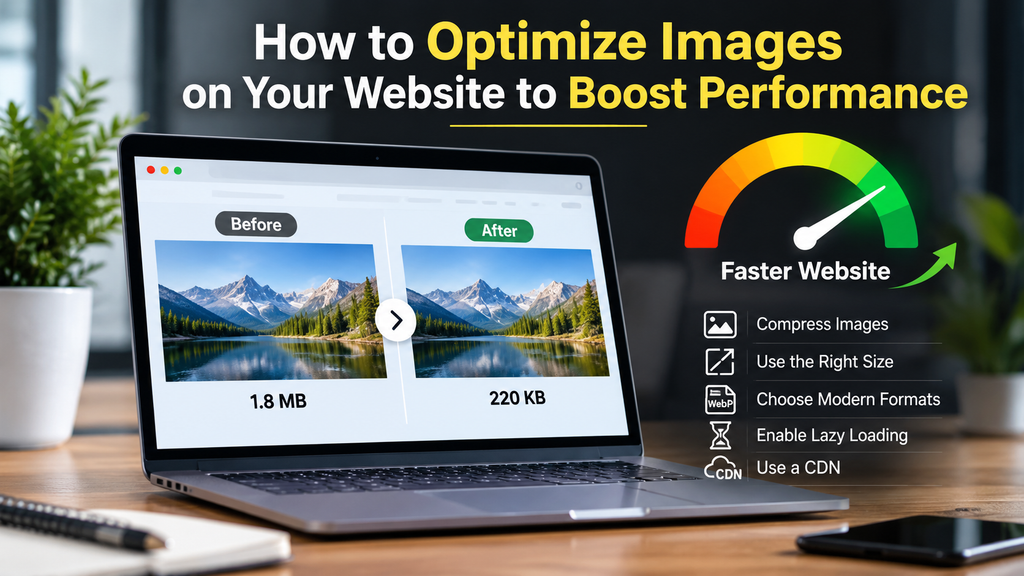
Having images on your website can help help your visitors understand more about your products and services.
However, if they are large or not optimized, they can cause performance issues including:
Long loading times
Unclear images on mobile devices
Frustration for your visitors.
Optimizing your images can help Qatar businesses improve the usability of their site. Whether you run an online store, property company, restaurant or professional service business, optimizing images will help.
Optimizing images doesn’t mean losing picture quality. It means making sure you’re using the correct format, size and resolution so your images look great but aren’t slowing your site down.
What is Image Optimization?
Image optimization means getting your images ready to be used on your site.
This includes:
Choosing the right format
Compressing the file size
Resizing the image
Adding alt text.
If you have a property website, you may want to add photos of your apartments, offices and commercial buildings. However, if you upload them at a large size without any optimization, this can increase the amount of data being loaded.
By compressing and resizing the images, you can ensure you have great looking images but with less resources being used.
This will ensure your site looks great while improving the loading times.
Why Should You Optimize Images?
Many businesses rely on images.
Whether you have an online store, real estate company, restaurant or design agency, you’ll need images. Online stores will need clear product images. Real estate companies will need property images. Restaurants may add images of food to introduce their menu. Design agencies may include images of past projects within their portfolios.
If the images are too large or not prepared properly, this can cause issues.
Customers may be waiting longer to load pages, especially if they are on a mobile connection or low resource device.
By optimizing your images, you can help provide a good balance between having great looking images but improving site performance. This can improve accessibility and help search engines understand the images on your page.
Choose the Correct Image Format
One of the first things to think about when optimizing images is to choose the correct image format.
Depending on what you’re trying to show, there are a few different image formats you can use.
JPEG – Often a great option for photographs and images with lots of colour. This will help reduce file size without losing much quality.
PNG – Great for images that require transparency or sharp details. However, these can sometimes be larger than other formats.
WebP – A modern image format which allows lossy and lossless compression and can also have transparent areas. In many cases, this can help reduce file size.
AVIF – Another modern image format which can provide efficient compression with great quality.
For most business websites, WebP and AVIF are great options. Just make sure your site supports the formats you’re trying to use.
Depending on what you’re trying to show, you’ll want to choose the best option.
Compress Images
Compressing images will help reduce the amount of data required to show the image.
If you have lots of images, such as photos, this can help.
For example, if you have an online store you’ll likely have hundreds of product images. If you upload them all at the full size from your camera, this can slow your site down.
Using compression tools can help reduce the image size while ensuring the images are still clear.
However, be careful not to over compress as this can cause blurry details, visible artifacts and poor quality images.
Always double check your images before uploading.
Finding a good balance between file size and quality can help.
Resize Images
Uploading an image that is much larger than the space where it will appear is another common website mistake.
For example, if a website displays a product image at 600 pixels wide, uploading a photograph that is 4,000 pixels wide may be unnecessary.
Resize images according to their actual display requirements.
Different parts of a website may need different image dimensions:
- Blog featured images
- Product photographs
- Service page images
- Portfolio thumbnails
- Website banners
- Small icons and graphics
The correct dimensions depend on the website design and display area.
You should also consider high-resolution screens and responsive layouts when choosing image sizes.
Preparing images properly before uploading them can help reduce unnecessary file weight.
Responsive Images for Mobile Devices
Many people will use their smartphone, tablet or desktop to view your business site.
If you have a large image for your desktop site, you may not need to show it at a large size on a smaller device.
By using responsive images, you can show different sized images depending on the device being used.
For example, if you have a large banner you may want to show a wider image on desktops and a smaller image on mobile devices.
This can help reduce unnecessary downloads and make your site more practical.
If you’re using WordPress, there are built in responsive image features. By using the correct theme and setup, you can generate different sized images. Always make sure to test your images on mobile devices to ensure they look clear.
Add Alt Text
Alt text (alternative text) is text that describes what is in your image.
This can help those using screen readers and can also give useful context to search engines.
Instead of using a generic name such as IMG_1234.jpg, you can use descriptive alt text for your property site.
“Modern 2-bedroom apartment interior in Doha.”
Make sure the description is accurate.
Try not to use keyword stuffing or add extra text that isn’t relevant.
If the image is decorative and is not providing useful information, you can often leave the alt text blank so screen readers can ignore it.
Having good alt text will help with accessibility.
Use Lazy Loading
Some sites have long pages with lots of images. If you load all of the images straight away, this can cause unnecessary downloads.
Lazy loading can help by not loading certain images until they’re nearer to what the user is viewing.
For example, if you have a long blog post with lots of images between each heading, you may not want to load the images at the bottom of the page straight away.
This can help reduce the work required when loading the page.
However, you should be careful when using lazy loading.
Key images that appear as soon as the page loads shouldn’t be lazy loaded. This includes your main featured/hero image.
Use Descriptive Filenames
efore uploading your images, make sure they have descriptive filenames.
Many images will have generic names such as final-image-01.jpg or DSC00456.png. This won’t tell anyone what the image is.
By using descriptive filenames, you can help organize your images and give search engines more context.
Examples:
doha-office-interior.webp
qatar-business-website-design.webp
modern-apartment-doha.jpg
Keep your filenames short, relevant and easy to understand.
Use descriptive words relating to the image.
This can help make managing your media library easier, especially if you have lots of images.
Optimize Images
Whilst you should optimize your images to reduce file size, you should make sure they’re in the right place.
Use clear images that complement the content. Don’t stretch, distort or crop important images so you’re losing useful details.
If you’re running an e-commerce site, you want to show clear product images so your customers know what they’re looking at.
Business sites should also include relevant images that help explain what your services are.
Keeping your images consistent will help your site look organized.
Common Errors
Even if you have a well designed site, if you haven’t optimized your images properly you can run into issues.
Avoid:
Large images – Resize your images to the correct size.
Incorrect format – Choose the correct format depending on your content and site.
Over compressed – Don’t over compress your images as this can cause blurry images.
No mobile optimization – Ensure your images look good on smaller screens.
Generic filenames – Give your images descriptive filenames.
No alt text – Add useful text to your informative images.
Lazy load important images – Ensure important images at the top of your page are loading correctly.
Leaving unused images – Remove any unnecessary media files.
By keeping these in mind, you can help improve the quality of your images and performance.
How to Optimize Images on WordPress
If you’re using WordPress for your business site, there are a few ways to optimize your images.
Firstly, make sure you’ve optimized your images before uploading. Resize large images and choose a correct format.
You can also use plugins to automatically optimize your images. This can include compression, generating webp images and delivering the images.
Popular plugins include ShortPixel, Imagify and EWWW Image Optimizer. Make sure to check what features they currently offer, pricing and compatibility with your site.
Don’t install multiple plugins for the same task.
Once you’ve made any changes, make sure to test key pages using tools such as Google PageSpeed Insights. Take note of the suggestions and ensure your images aren’t causing any issues.
Remember, optimizing images is just one aspect of improving your site. Your hosting, caching, code, fonts and other resources can also affect how quickly your site loads.
Final Thoughts
Images can help businesses show off their products, services and branding. However, they need to be optimized to ensure a good experience for your visitors. By choosing the right format, compressing files, resizing images and using responsive images, you can help reduce unnecessary image file size. This can help Qatar businesses make their sites more practical for customers. You don’t need to manually optimize all of your images. Having a clear process for managing your images and using the correct tools can help. Start by looking at the largest images on your site and optimizing those that will make the biggest difference. Making small consistent changes can help improve your site.
Ready to Get Started?
Orbition X builds WordPress websites, Shopify stores and landing pages from Doha. See our web development service or book a call and we will scope your project and give you an itemized quotation.