
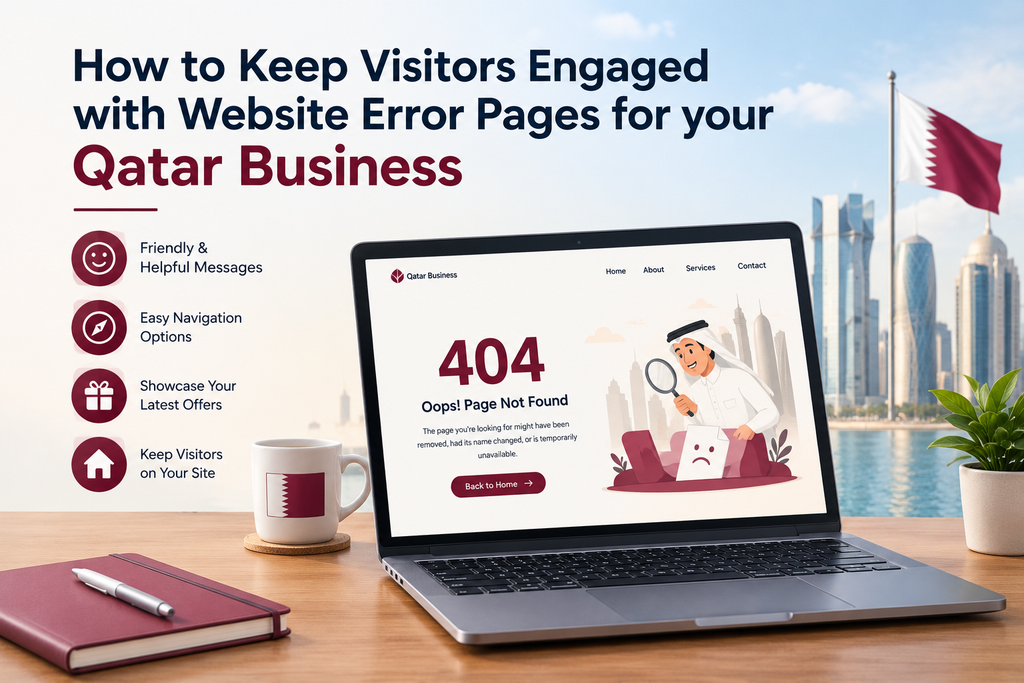
You have a potential customer visiting your website to learn more about services that you offer. Suddenly they arrive at an error page.
They will either attempt to navigate to another page, head back to your homepage or leave your website completely.
While website errors can happen for various reasons, the way that you handle errors can help keep your visitors engaged.
Error pages can help your Qatar business by providing helpful guidance for visitors who have experienced an issue. This will help them find what they are looking for while keeping the website easy to use.
While a good error page won’t fix any technical issues, it will stop people from being confused.
What Are Website Error Pages?
Website error pages appear when a page or resource cannot be found.
Common errors include 404 errors. This usually means that the page that was asked for cannot be found. This can happen if the page has been removed, the URL changed or the web address was entered incorrectly.
Website errors can also occur if the server is experiencing temporary issues, or the website itself has had an issue.
Rather than showing your visitors a confusing technical message you can easily create a helpful error page. This will explain what has happened in a simple language, and show them how to move forward.
For example, if you have a 404 error, this can include a link to your homepage, search functionality or links to popular services.
Ultimately, you want to help your visitors continue using your website.
Why Are Error Pages Important for Your Qatar Business?
Often a website will be the first place that a potential customer will visit. They may wish to research your services, compare options, read about your business or get in touch.
If they come across a broken page with no guidance, they may struggle.
As many customers may research multiple companies online for their Qatar business, a poor error page can cause unnecessary frustration.
A helpful error page will help your visitors find the right information, while showing that you have thought about what happens if your website doesn’t work as intended.
While a good error page cannot replace regular maintenance, it can help reduce frustration if something unexpected happens.
1. Provide Guidance
One of the most useful things you can include on an error page is guidance to get back to the main page of your website.
If someone has landed on a missing page, they shouldn’t have to click back multiple times or re-type your website address. Instead, display a clear link to your homepage and links to important sections of your website.
If you have a web development business in Doha, you could include links to your website development, digital marketing and contact pages.
These will help visitors to get back on track.
Only include relevant links. Don’t overwhelm your visitors by having too many links.
2. Include Friendly Error Messages
Technical messages can confuse your visitors.
Rather than showing them technical codes, explain what has happened in simple language.
For example, if someone lands on a 404 error you could say:
“We couldn’t find this page.”
You could add a short sentence explaining that the page may have moved or the address is incorrect.
Your message should be polite and helpful. Don’t blame your visitor and don’t include too much technical jargon.
You can give your error page a bit of character by using your brand colours, writing style or adding a simple image. However, ensure that your message is clear and professional.
Ensure that your visitors know what has happened and how they can move forward.
3. Include a Search
Sometimes visitors may have clicked an old link but want to find the information that was previously on that page. Including a search function can help them find related content.
For example, if someone wants to find a specific service they can search for it. This can help them find the current service page.
This can be particularly useful if you have a lot of products, articles, service pages or resources.
Ensure that your search function works and shows relevant results. If your website is small, you may not need to include a search. Instead include links to your main sections.
Depending on how big your website is, this may be the best option.
4. Provide Relevant Alternatives
While error pages can help your visitors move forward, they shouldn’t become a pushy sales page. Instead provide a few helpful alternatives.
For example, if you have a property website you could include links to current properties, property search or an enquiry page. If you have an online store you could include links to product categories or current collection. A business website could include links to main services and contact.
This can help your visitors find something relevant.
Don’t include irrelevant promotions or too many calls to action.
5. Match Branding
Your error page should look as if it is part of your website. This can be done by using the same logo, colours, fonts and overall style as your website. This will help your visitors understand they are still on the right website.
You don’t need to make it complicated. A clear heading, short description and a few helpful links often works.
Ensure that it works on mobile devices. Your text should be easy to read, buttons should be easy to click and there shouldn’t be any unnecessary scrolling.
Having a consistent design will make your visitors feel that everything is in order.
6. Ensure Error Pages Work
Having a nice design won’t matter if your error pages don’t work.
For example, if you have a missing page, it should display the correct HTTP 404 status. This will help search engines understand if the page actually exists. Don’t display a 404 message but return a 200 status.
Ensure that it doesn’t cause any redirect loops and that all missing URLs aren’t being sent back to your homepage.
If a page has permanently moved to a relevant page, it may be better to include a proper redirect.
These technical aspects are important as having a nice design won’t fix underlying issues with your website.
If you have a WordPress or other CMS, review your website settings and ensure that missing URLs work correctly after major updates.
7. Check for Broken Links
Having custom error pages will help your visitors, however it is better to prevent any errors that can be avoided.
Regularly check your website for any broken internal links, old URLs or pages that no longer exist.
This is particularly important if you have redesigned your website, changed page addresses or removed old content.
Using website analytics and auditing tools can help you identify any pages that are being visited but causing errors. You can then look into whether the page needs to be brought back, redirected or left as is.
If visitors are frequently arriving at the same missing page, find out why. This may be due to an old link on another website or an incorrect internal link.
Fixing the issue will help improve your website over time.
Common Mistakes to Avoid
Even with a custom error page, you may run into issues if you don’t provide helpful guidance.
Avoid the following mistakes:
Error code only – Explain what has happened in simple language.
No navigation – Provide clear navigation to helpful pages.
Redirecting to homepage – Only redirect to relevant pages if there is an appropriate alternative.
Not mobile friendly – Ensure text is readable and easy to use on smaller screens.
Broken links – Ensure all buttons and navigation links work.
No technical status code – Ensure the correct HTTP response is returned.
Ignoring recurring errors – Look into common issues.
Simple checks can ensure that your error page is helping your visitors.
How to Improve Your Website Error Pages
Firstly, check what your visitors currently see when they visit a missing URL on your website.
If they see a confusing message or no guidance, create a custom error page that matches your branding.
Include a short description, link to homepage and a few helpful navigation links. If you have lots of content, include a search function.
Ensure that your error page is mobile and desktop friendly. Check all links work and that the design displays correctly. The page should return the correct status code.
Review your website reports and logs to see any recurring errors. Fix any broken links, update old URLs and redirect if there is an appropriate alternative.
Final Thoughts
While website errors cannot always be avoided, your visitors shouldn’t be left stuck. A helpful error page will explain what has happened, show them helpful alternatives and make it easy for them to continue browsing. This can help provide a smooth experience for your Qatar business and help visitors find what they are looking for.
Remember that a custom error page is only one aspect of having a well managed website. Testing regularly, ensuring links work and having proper redirects are also important.
Taking these factors into consideration will help make your website more reliable, easy to use and helpful for your customers.
Ready to Get Started?
Orbition X builds WordPress websites, Shopify stores and landing pages from Doha. See our web development service or book a call and we will scope your project and give you an itemized quotation.