
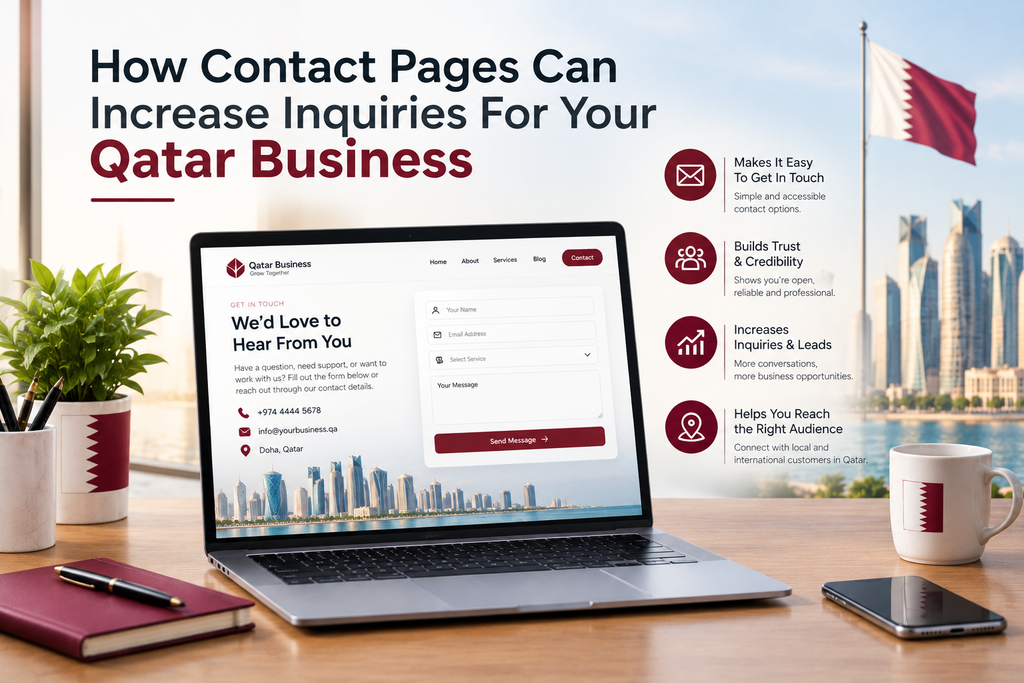
When someone lands on your website, they may want to ask a question, get a quote or find out more about your services. If they can’t find your contact information easily then they may leave your site and search elsewhere.
Having a great contact page can help.
A contact page makes it easy for potential customers to contact you and your team. This is beneficial for Qatar businesses.
Whether you’re a small business, property company, consultancy or online store, having easy to find contact information will give your customers a positive experience and help you manage your inquiries.
What Is A Contact Page?
This section of your website shows your customers the information they need to contact you.
It will likely include your phone number, email, WhatsApp link, business address, opening times and inquiry form. Depending on your business, you may also add a map and social media links.
The main aim of this page is to make it easy for your customers to contact you.
If a customer is looking for a service in Doha they should be able to find your contact information.
A clear contact page will make it easy for your customers to contact you.
Why Are Contact Pages Important For Qatar Businesses?
Customers will often research different businesses and want to know more about your location, pricing or if you offer certain services.
If your contact information is hard to find, they may become disinterested.
Having a clear contact page will make it easy for your customers to choose how they’d like to contact you.
If you’re providing services to customers across Qatar then having clear contact information will help them know where you’re based.
Whilst having a useful contact page won’t guarantee you more inquiries, it will remove barriers that stop potential customers contacting you.
1. Easy To Find Contact Information
One of the most common issues with websites is hiding your contact information.
You should make it easy to find your contact information. Many businesses will have a Contact Us option within their main menu, alongside having your essential contact information within the footer.
You can also add a contact button to key service pages.
Ensure that your information is correct. If your phone number is incorrect or your email is no longer working then it will cause unnecessary frustration.
The easier it is to find your contact information the less effort your customers will have to put in.
2. Multiple Contact Options
Not all your customers will want to use the same contact option.
Some customers will prefer a phone call whilst others will want to send you an email or use WhatsApp. By providing a few relevant options, you’ll make your business more accessible.
Depending on your services you could include:
Phone number – Customers who want to speak to your team directly.
Email – Customers with detailed queries, documents or formal inquiries.
WhatsApp – Customers wanting to message.
Inquiry form – Customers who want to provide more detail.
Office address – Customers who want to visit your offices.
Choose the options that you’re able to provide. Whilst having multiple contact options is useful, you need someone to be available to respond.
3. Simple Inquiry Form
An inquiry form will allow your customers to contact you without opening their email or calling.
However, too many questions can put customers off.
Keep the form simple. Ask for basic information like the customers name, email and message. If needed, you can also include a phone number and drop down menu.
For example, if you’re a web development company in Qatar you could ask if they need a new website, update to their current website or online store.
Keep it short! Let your customers know what will happen once they’ve submitted their inquiry. A simple confirmation message will let them know.
Regularly test your form to ensure it sends to the correct email or customer management system.
4. Build Customer Confidence
When visiting your site, customers may want to know if your business is genuine, professional and easy to contact.
By having a full contact page you’ll be able to answer this.
Include your business name, contact information and location (if relevant). If customers can come to your offices then provide the correct address and clear directions.
You can also state your usual opening times.
If your business is based in Doha or providing services across Qatar then including relevant location information will help people understand where you provide your service.
Avoid including irrelevant information that can’t be confirmed. Having accurate information is more valuable.
5. Mobile Friendly Contact Page
Many people will use their smartphones to browse your website. This could be because they’re looking for a local service or want to contact your company quickly.
If your contact page isn’t mobile friendly then your customers may struggle to call you, fill out your form or find your location.
Ensure that your text is easy to read and your buttons are clear. Include plenty of spacing between sections.
Make your phone number a click to call option. If you provide WhatsApp then make sure the link works and opens the correct conversation. You can also include a map link so customers can find your offices.
Test your contact page on a mobile.
Whatever device your customer is using, your contact page should be easy to use.
6. Office Address & Opening Times
If you provide services to customers in an office then including your address will help your customers understand where you’re based.
Including a map will help customers find your office, showroom, shop or service.
Opening times are also important. This will let your customers know when your team will usually be available.
If you provide services to customers across Qatar but don’t have a public office then include information about where you provide your service.
Ensure that your website information matches your Google Business Profile and other important listings.
This will make it easier for your customers to find accurate information.
7. Let Customers Know What Will Happen
Customers may be hesitant to fill out your form if they don’t know what will happen.
A short message will let your customers know what will happen.
For example:
“Submit your inquiry and we’ll look over your requirements and get back to you during our business hours.”
Only include information about how long you’ll take to respond if your team can realistically provide this.
Once they’ve completed your form include a confirmation message. If your website allows automated emails then you can also send a quick message to your customer.
If your business receives a lot of inquiries, linking your contact forms to a CRM will help you keep track of your customers and follow ups.
This is especially helpful if multiple members of staff are responsible for handling the inquiries.
8. Safeguard Customer Information
Contact forms often ask for personal information such as name, email and phone. Ensure that you’re handling this information correctly.
Ask for only what is needed to complete the inquiry. Let your customers know how you’ll be using their information and include links to your privacy policy.
Ensure that your website is secured with HTTPS. Ensure your forms and tools are well maintained.
Try to limit spam whilst keeping it easy for genuine customers to complete.
Having a clear and responsible approach to customer information will give a more professional online experience.
Common Mistakes
Even if you have a great website, if your contact page is not well organised then it may make it difficult for customers to contact you.
Common mistakes include:
Outdated contact information – Ensure that your phone number, email and address are correct.
Too many questions – Only ask for what is needed.
Links not working – Regularly check that your phone, email, WhatsApp and map links are working.
Unclear instructions – Let your customers know how they can send an inquiry.
Not mobile friendly – Ensure your page works well on a smaller screen.
No confirmation messages – Let your customers know when they’ve sent their inquiry.
No process for managing your inquiries – Ensure your messages are going to the right person and receiving the right attention.
Regularly check these points to avoid losing any inquiries and improve your overall customer experience.
Improving Your Contact Page
Have a look at your contact page from a customers perspective.
Are they able to find your contact information easily? Is your phone number a click to call? Does your inquiry form work? Are your opening times and service area clear?
Fix any issues that are causing problems.
Choose contact options that are best suited to your customers and how your team work day to day. If you receive a lot of inquiries then consider using a CRM or automation system to manage your messages and provide followups.
You can also look at your website analytics to see how your customers are finding your contact page and if they’re interacting with your inquiry forms.
Focus on improving your contact page based on what your customers need.
Often a simple and reliable contact page will be more useful.
Final Thoughts
Whilst your website will tell your customers about your services and what makes you unique, you still need to make it easy for them to contact you.
A clear contact page will make it easy for your customers to find your information, ask questions and know what to do next.
By providing accurate information, convenient contact options and a mobile friendly page, Qatar businesses can create a smooth customer journey.
You don’t need to have a complicated design. Focus on providing clear information, functional links, easy to use inquiry forms and a reliable process for responding to your customers.
Ready to Get Started?
Orbition X builds WordPress websites, Shopify stores and landing pages from Doha. See our web development service or book a call and we will scope your project and give you an itemized quotation.